Class WInPlaceEdit
The WInPlaceEdit provides a text that may be edited in place by the user by clicking on it.
When clicked, the text turns into a line edit, with optionally a save and cancel button (see
setButtonsEnabled()).
When the user saves the edit, the valueChanged() signal is
emitted.
Usage example:
 WContainerWidget w = new WContainerWidget();
 new WText("Name: ", w);
 WInPlaceEdit edit = new WInPlaceEdit("Bob Smith", w);
 edit.setStyleClass("inplace");
This code will produce an edit that looks like:
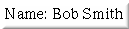
WInPlaceEdit text mode
When the text is clicked, the edit will expand to become:

WInPlaceEdit edit mode
CSS
A WInPlaceEdit widget renders as a <span> containing a WText, a WLineEdit and optional buttons (WPushButton). All these widgets may be
styled as such. It does not provide style information.
In particular, you may want to provide a visual indication that the text is editable e.g. using a hover effect:
CSS stylesheet:
 .inplace span:hover {
 background-color: gray;
 }
-
Nested Class Summary
Nested classes/interfaces inherited from class eu.webtoolkit.jwt.WObject
WObject.FormData -
Constructor Summary
ConstructorsConstructorDescriptionCreates an in-place edit.WInPlaceEdit(boolean buttons, CharSequence text) Creates an in-place edit with the given text.WInPlaceEdit(boolean buttons, CharSequence text, WContainerWidget parentContainer) Creates an in-place edit with the given text.WInPlaceEdit(WContainerWidget parentContainer) Creates an in-place edit.WInPlaceEdit(CharSequence text) Creates an in-place edit with the given text.WInPlaceEdit(CharSequence text, WContainerWidget parentContainer) Creates an in-place edit with the given text. -
Method Summary
Modifier and TypeMethodDescriptionReturns the cancel button.Returns the line edit.Returns the placeholder text.Returns the save button.getText()Returns the current value.Returns theWTextwidget that renders the current string.protected voidrender(EnumSet<RenderFlag> flags) Renders the widget.final voidDisplays the Save and 'Cancel' button during editing.voidsetButtonsEnabled(boolean enabled) Displays the Save and 'Cancel' button during editing.voidSets the placeholder text.voidsetText(CharSequence text) Sets the current value.Signal emitted when the value has been changed.Methods inherited from class eu.webtoolkit.jwt.WCompositeWidget
addStyleClass, boxBorder, boxPadding, callJavaScriptMember, doJavaScript, enableAjax, find, findById, getAttributeValue, getBaseZIndex, getChildren, getClearSides, getDecorationStyle, getFloatSide, getHeight, getId, getImplementation, getJavaScriptMember, getLineHeight, getMargin, getMaximumHeight, getMaximumWidth, getMinimumHeight, getMinimumWidth, getObjectName, getOffset, getPositionScheme, getScrollVisibilityMargin, getStyleClass, getTabIndex, getTakeImplementation, getToolTip, getVerticalAlignment, getVerticalAlignmentLength, getWidth, hasFocus, hasStyleClass, isCanReceiveFocus, isDisabled, isEnabled, isHidden, isHiddenKeepsGeometry, isInline, isLoaded, isPopup, isScrollVisibilityEnabled, isScrollVisible, isSetFirstFocus, isThemeStyleEnabled, isVisible, load, propagateSetEnabled, propagateSetVisible, refresh, remove, removeStyleClass, removeWidget, resize, scrollVisibilityChanged, setAttributeValue, setCanReceiveFocus, setClearSides, setDecorationStyle, setDeferredToolTip, setDisabled, setFloatSide, setFocus, setHidden, setHiddenKeepsGeometry, setId, setImplementation, setInline, setJavaScriptMember, setLineHeight, setMargin, setMaximumSize, setMinimumSize, setObjectName, setOffsets, setPopup, setPositionScheme, setScrollVisibilityEnabled, setScrollVisibilityMargin, setSelectable, setStyleClass, setTabIndex, setThemeStyleEnabled, setToolTip, setVerticalAlignmentMethods inherited from class eu.webtoolkit.jwt.WWidget
acceptDrops, acceptDrops, addCssRule, addCssRule, addJSignal, addStyleClass, animateHide, animateShow, createJavaScript, disable, dropEvent, enable, getDropTouch, getJsRef, getParent, hide, htmlText, isExposed, isGlobalWidget, isLayoutSizeAware, isRendered, layoutSizeChanged, needsRerender, positionAt, positionAt, removeFromParent, removeStyleClass, render, resize, scheduleRender, scheduleRender, scheduleRender, setClearSides, setDeferredToolTip, setFocus, setHeight, setHidden, setLayoutSizeAware, setMargin, setMargin, setMargin, setMargin, setMargin, setOffsets, setOffsets, setOffsets, setOffsets, setOffsets, setToolTip, setVerticalAlignment, setWidth, show, stopAcceptDrops, toggleStyleClass, toggleStyleClass, trMethods inherited from class eu.webtoolkit.jwt.WObject
setFormData
-
Constructor Details
-
WInPlaceEdit
Creates an in-place edit. -
WInPlaceEdit
public WInPlaceEdit()Creates an in-place edit. -
WInPlaceEdit
Creates an in-place edit with the given text. -
WInPlaceEdit
Creates an in-place edit with the given text. -
WInPlaceEdit
Creates an in-place edit with the given text.The first parameter configures whether buttons are available in edit mode.
- See Also:
-
WInPlaceEdit
Creates an in-place edit with the given text.
-
-
Method Details
-
getText
Returns the current value.- See Also:
-
setText
Sets the current value.- See Also:
-
setPlaceholderText
Sets the placeholder text.This sets the text that is shown when the field is empty.
-
getPlaceholderText
Returns the placeholder text.- See Also:
-
getLineEdit
Returns the line edit.You may use this for example to set a validator on the line edit.
-
getTextWidget
Returns theWTextwidget that renders the current string.You may use this for example to set the text format of the displayed string.
-
getSaveButton
Returns the save button.This method returns
nullif the buttons were disabled. -
getCancelButton
Returns the cancel button.This method returns
nullif the buttons were disabled. -
valueChanged
Signal emitted when the value has been changed.The signal argument provides the new value.
-
setButtonsEnabled
public void setButtonsEnabled(boolean enabled) Displays the Save and 'Cancel' button during editing.By default, the Save and Cancel buttons are shown. Call this function with
enabled=falseto only show a line edit.In this mode, the enter key or any event that causes focus to be lost saves the value while the escape key cancels the editing.
-
setButtonsEnabled
public final void setButtonsEnabled()Displays the Save and 'Cancel' button during editing.Calls
setButtonsEnabled(true) -
render
Description copied from class:WWidgetRenders the widget.This function renders the widget (or an update for the widget), after this has been scheduled using
scheduleRender().The default implementation will render the widget by serializing changes to JavaScript and HTML. You may want to reimplement this widget if you have been postponing some of the layout / rendering implementation until the latest moment possible. In that case you should make sure you call the base implementation however.
- Overrides:
renderin classWCompositeWidget
-